
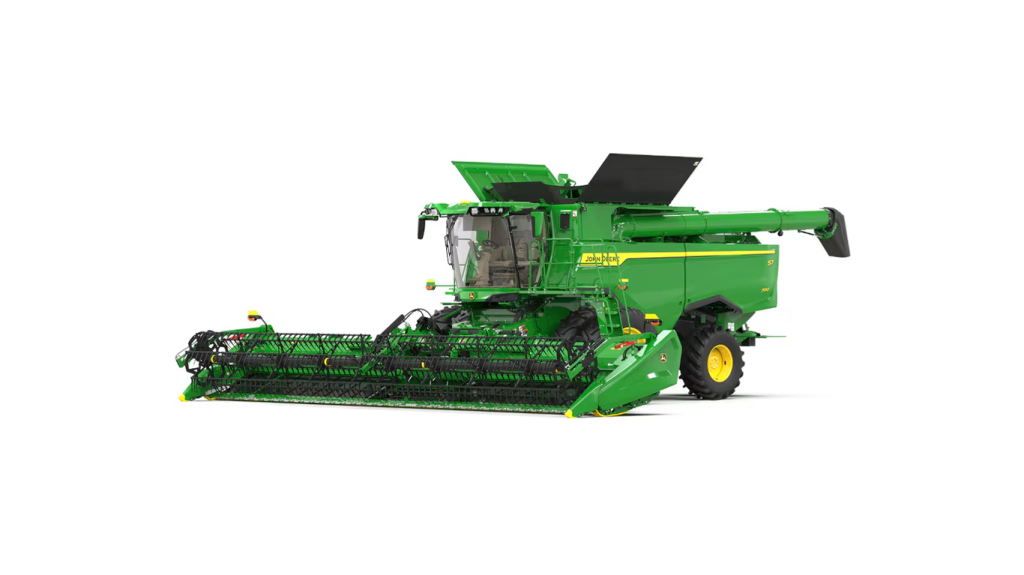
ActiveYield™ system: Automatic yield calibration for corn, soybeans, wheat, canola, barley, and rice
Overview
If an operator would rather be harvesting grain or stopped calibrating the yield monitor system, ActiveYield maximizes the system’s accuracy with no effort or time away from the harvest. Every field and every variety, ActiveYield is there delivering quality yield data.
Benefits
- Increased uptime due to zero operator time spent calibrating the yield monitor system
- Eliminated work associated with calibrating while automatic calibrations occur all day long
- Improved real time decision-making as ActiveYield maximizes the accuracy of the combine’s yield data

Additional details
ActiveYield senses the weight of the grain in the grain tank as it fills. The combine uses the weight information to calibrate the yield system continually throughout harvest. This gives the operator optimized system accuracy and reliable yield data collected all day, every day.
 ActiveYield sensors in grain tank
When the ActiveYield option is enabled and the terrain compensation module (TCM) in the StarFire™ 3000 or 6000 Receiver has been calibrated, ActiveYield is ready to go to work. As grain is harvested and enters the tank, the three sensors within the grain tank collectively measure the grain as it piles over the cross auger covers. If all conditions are acceptable (header and separator on, grain is flowing, machine level within four degrees) load collection occurs from 900 through 3000 kg (2000 to 6600 lb).
Any pitch and roll of more than 4 degrees from center during load collection will cause the system to reject that load due to the grain pile shifting in the tank. A new calibration load starts once grain is below the sensors on the cross auger covers.
Stored calibration loads are replaced by new ones as the system continues to collect data. The system may be disabled at any time by accessing the moisture setup page and unchecking the ActiveYield box if manual yield calibration is desired.
 ActiveYield calibration location
 ActiveYield information
ActiveYield is available for model year 2016 and newer S760, S770, S780, and S790 Combines and requires the Gen 4 Display, GreenStar™ 3 2630 Display or GreenStar 3 CommandCenter™ Display. Additionally, a StarFire 3000 or 6000 must be installed on the combine with the TCM calibrated for ActiveYield to detect machine pitch correctly. Manual yield calibration is not required as each crop has a default value built in.
Harvest Doc™ yield data collected by an ActiveYield system is only compatible with the John Deere Operations Center. John Deere does not guarantee compatibility of ActiveYield collected documentation with John Deere APEX™ software or third-party software systems.
ActiveYield is available as a factory-installed option on model year 2018 and newer combines for use corn, soybeans, wheat, canola, barley, and rice.

The Combine Advisor package is a suite of technologies designed to maximize harvesting profits. The features help the operator set and optimize the S700 Combine and then automates the combine to maintain performance target as conditions change. Purchasing the Combine Advisor package grants access to the Integrated Combine Adjustment (ICA2) application, which houses three automation technologies: HarvestSmart™ system for automation of feed rate, Active Terrain Adjustment™ (ATA) system for terrain change management and Auto Maintain with ActiveVision™ cameras for crop condition change management.
ICA2 is a part of the Combine Advisor package.
The Combine Advisor package also provides easy navigation of the S700 set and optimize features: harvest settings application for initial set up and setting storage, VisionTrak™ system for monitoring losses and harvesting performance, and the Interactive Combine Adjustment (ICA) performance wizard for step-by-step guidance of combine setting optimization. Once the John Deere Combine Advisor Package is set into motion, the operator will experience ease-of-use benefits coupled with increased productivity.
Code |
Description |
1963
|
Combine Advisor package Base features, plus ATA and ICA 2 (ICA2). Includes ActiveVision cameras.
Base features include ICA, Touch Set™ system, VisionTrak, HarvestSmart, and engine speed management. HarvestSmart and engine speed management only included with code 2020 (ProDrive™ transmission). Engine speed management only available with Final Tier 4 (FT4) engines. |
Combine Advisor video
- John Deere Combine Advisor™ Package (full video)
- The following videos are segments of the above full version:
ICA2 Application
 ICA2 run page
The ICA2 application provides the tools needed to set the combine to get the most out of it and automatically adjust settings to maintain your optimum performance. Inside this application on your Generation 4 display, the operator will find many tools including easy-to-adjust current machine settings, priority setting for automation guidance, application status indicators, automation activity history overviews and live grain analysis camera feeds. Additionally, the operator can access the optimize performance wizard, activate three automation technologies, and set the performance targets the machine will automatically adjust to maintain.
Feature benefits:
- Efficient combine operation with a one-page application for animation technologies
- Improved combine settings management with settings, priorities, and status information all on one reference page.
- Reduced operator training and efficient, easy control of harvest settings through an intuitive run page and user interface
Functionality:
 ICA2 run page
The ICA2 application page gives the operator seamless access to many features.
- Section A (yellow highlight): takes the operator to the current settings for concave clearance, rotor speed, fan speed, chaffer clearance, and sieve clearance, giving quick access to critical combine adjustments.
- Section B (blue highlight): the optimize performance button uses a wizard to help the operator optimize combine performance.
- Section C (pink highlight): the HarvestSmart system automates ground speed control during harvest to maintain a constant crop load.
- Section D (orange highlight): the Active Terrain Adjustment™ system increases productivity and reduces tailings volume when harvesting up and down hills.
- Section E (green highlight): indicates the operator’s priorities for automation.
- Section F (red highlight): Auto Maintain monitors the combine and makes adjustments to maintain the performance at the operator-set performance target.
- Section G (purple highlight): Auto Maintain also uses the buttons in section G to allow a glimpse into live views of the clean grain and tailings elevators and allows operators to use an analyzer function to see what Auto Maintain is seeing.
 |
|
Additional Combine Advisor package features:
- Active Terrain Adjustment™ (ATA) feature
- Drive more productivity with Harvest Smart™ system
- Interactive combine adjustment (ICA)
- Harvest setup
- Monitor losses and harvesting performance with VisionTrak™ system
- John Deere engine speed management
Auto Maintain
Auto Maintain with ActiveVision cameras is technology that works by automatically adjusting S700 Combine settings to maintain the ideal targeted performance. When harvesting corn, soybeans, wheat, canola, or barley, the combine will maintain the performance of everything from grain loss and grain quality to foreign material in the grain tank. The ActiveVision cameras, along with grain loss monitors, are specifically designed to identify the impact of crop condition changes and adjust the combine to maintain your target performance, allowing you to focus on other challenges of harvest.
Feature benefits:
- Simply harvest by automating the critical workload of constantly managing combine settings when conditions change
- Increase productivity by allowing ActiveVision cameras to identify and address tough to spot problems such as cracked grain
- Provides flexibility in planning overall business and increases the productivity of the combine independent of operator experience
ICA2 run page
Functionality
Auto Maintain looks at the level at which the combine is performing, sets that as the goal, and automates combine settings to continually hit the target performance goal over and over again. Auto Maintain uses existing sensor input along with the ActiveVision cameras to make decisions for accurate combine adjustments. It does not use grain moisture as an input, however. Auto Maintain is able to hit the target goal by making adjustments to the threshing speed, concave clearance, chaffer clearance, sieve clearance, and fan speed automatically. The ActiveVision cameras have been trained by university experts to analyze the clean grain and tailings material and input that analysis into the Auto Maintain system. Auto Maintain will show the operator how it has been performing with a constantly updating historical graph of losses, grain quality, and foreign material in the clean grain. The green shaded area indicates the performance targets set. The colored lines show the ongoing levels of losses and quality. For example, the green, purple, and orange lines below show a period of time outside of the green shaded acceptable area. Auto Maintain with ActiveVision cameras recognizes this and the combine advisor package makes the appropriate adjustments to meet the set targets.
 Historical Auto Maintain performance graph
The ActiveVision cameras can detect broken and unthreshed grain. The cameras will also detect lightweight and heavy material to make the appropriate combine changes. If the operator wants to see the grain as well, the system will color highlight the broken and unthreshed grain to make it easier to analyze. The live view and historical graphs update constantly and the cameras can even tell the operator if they have debris on the lens.
 Grain analysis live view
| |
Combine Advisor package with Auto Maintain is available as a factory-installed option on model year 2018 combines. Auto Maintain is compatible in corn, soybeans, wheat, canola, and barley. |
The Gen 4 CommandCenter 4600 display is the central information system used on all John Deere S700 Combines starting in 2018. The display allows the operator to display various important harvest and diagnostic information during harvesting and show it in a layout based on operator preferences. The Gen 4 CommandCenter 4600 display has been developed in combination with the CommandARM™ console and the multifunction control lever to deliver outstanding ergonomics paired with best-in-class natural navigation.
 Gen 4 CommandCenter 4600 display
Feature benefits:
- Display is easy to use due to its commonality across John Deere agriculture products
- Large area for information provided by a 25.4-cm (10-in.) screen
- Quick and easy navigation with touch functionality
- 10 percent less button presses compared to the previous design because of an app-based user interface with simpler navigation
- Easy, logical, and intuitive operation with five run pages which can be configured by operators according to their preferences
- Quick, convenient access to the most used apps on the display as custom configured on nine hot keys
- Improved uptime due to display interface time savings including shortcut keys below the display that allow access to the most important combine functions
- Natural navigation with easy and clear structure
- To increase digital display area and have even more overview, an extended Gen 4 CommandCenter display is available
Functionality:
Five run pages can be configured by the operator according to their preferences for easy, logical, and intuitive operation. By scrolling to the left and right on the display, the operator can conveniently switch from run page to run page just like on a smartphone. In addition, the operator can switch the run pages from the multi-function control lever. This means the operator does not have to move their hand off the controls but is still able to navigate through run pages.
 John Deere 4600 CommandCenter controls
A. Next and previous run page
B. Status center
C. Shortcut keys
D. Menu
E. Run page
F. Title bar
The Gen 4 CommandCenter 4600 display features up to nine configurable buttons, allowing operators to personalize the access to their favorite apps so they spend less time browsing through the menu.
 Nine configurable shortcut keys for quick access on display
Below the Gen 4 CommandCenter 4600 display the operator will find 14 shortcut keys guiding directly through the most important areas during the harvesting day, saving time and clicks as well as keeping the main focus on the harvest.
14 shortcut keys below display grants quick and easy access:


Operators that prefer even more digital surface than the Gen 4 CommandCenter 4600 display are able to equip their S700 Combine with an additional Gen 4 CommandCenter 4600 display on the cornerpost. The extended monitor includes bracket and adapter harness. The bracket allows the operator to flip up the extended monitor for improved visibility during road transport and maneuvering the combine.
 Help icon
 Help center main page
Additionally, application-based help is also available in all locations of the CommandCenter. Simply click on the {i} icon available on the title bar, and it will lead directly to more information on the application currently being used.
 Extended Gen 4 CommandCenter 4600 display
The Gen 4 CommandCenter 4600 display in the armrest supports following features:
- Compatible with 254-mm (10-in.) touchscreen display
- CommandCenter AutoTrac™ assisted steering system capable
- JDLink™ telematics system
- Wireless Data Transfer (WDT)
- Remote Display Access (RDA)
- Interactive Combine Adjustment and Integrated Combine Adjustment 2 (ICA and ICA2)
- Harvest Smart™ system
- Active Terrain Adjustment™ system
- ActiveYield™ system
- Four camera inputs
- Diagnostics and calibration
- Harvesting information
- Engine information
- Header setup
- Export screenshots and troubleshooting information
- CommandCenter Premium activation capable – enables AutoTrac, documentation, Section Control, RowSense™ system, and John Deere Wireless Data Transfer (with a JDLink Connect subscription)
Layout manager
 Layout manager selection page
 Layout manager module build
The Gen 4 CommandCenter features a modular-designed layout manager, so operators can easily create the page views that meet their needs. From the factory, machines are equipped with default run pages. An unlimited number of run pages can be added to the Gen 4 CommandCenter based on operator preference or operational needs. Toggling between run pages is as easy as using the arrow buttons on the top right portion of the title bar.
On-screen help and diagnostic text
There are a number of different ways to get meaningful on-screen help when navigating the Gen 4 CommandCenter. Operators can find the help icon on the shortcut bar on the bottom of every page. This icon gives detailed information on everything from combine operation to application information. Simply select the help icon and navigate to the information section that is needed.
 {i} icon
Work setup application
Work setup places the settings needed to properly setup AutoTrac, documentation, and Section Control in a single location.
Settings include:
- Client, farm, and field
- Crop type
- Machine dimensions
Work setup can be quickly accessed from a shortcut key or the display menu, allowing operators and managers to quickly review display and machine settings to ensure a job is completed properly.
 Work setup shortcut key (far left)
Option Code |
Description |
1822 |
Gen 4 CommandCenter 254-mm (10-in.) color display – 4600 processor Includes 4600 processor and single 254-mm (10-in.) display. Processor equipped with CommandCenter controls and four video inputs included. CommandCenter AutoTrac and CommandCenter premium activation capable. |
1828 |
Gen 4 CommandCenter 254-mm (10-in.) color display with extended monitor – 4600 processor Includes 4600 processor and a 254-mm (10-in.) display on CommandARM with a second 254-mm (10-in.) display on cornerpost. Extended monitor includes bracket and adapter harness. Processor equipped with CommandCenter controls and four video inputs included. CommandCenter AutoTrac and CommandCenter premium activation capable. |
NOTE: For the functionality of Machine Sync or A-B line sharing, a CommandCenter 2630 is currently required which will extend the Gen 4 CommandCenter 4600 display on the armrest or replace the 4600 display on the cornerpost.
Overview
The Dyna-Flo Plus cleaning system is the heart of the S7 Combine cleaning system. The system is made up of a unique design consisting of aluminum and high-strength steel that reduces overall weight while maintaining overall strength. The Dyna-Flo Plus cleaning system also features an enhanced drive system that requires only one flywheel for optimal shoe performance and maximizes uptime.
Benefits
- Increased size of the sieve area by 12 percent for up to an additional 0.6 ha (1.5 acres) per hour of productivity.
- Tailings volume reduction of up to 28 percent in coarse grains and up to 14 percent in small grains.
- Weight reduction of 180 kg (396 lb) for smoother operation and reduced combine ground compaction.
 Dyna-Flo Plus cleaning shoe
 Enhanced drive system
Additional details
The Dyna-Flo Plus cleaning system begins with conveyor augers located beneath the concave area, where the volume of threshed material is highest, to evenly move material onto the cleaning shoe (1). The deep auger troughs provide uniform distribution of material to the cleaning shoe with less bunching, even on sloping terrain and when harvesting up and down hills.
 Dyna-Flo Plus cleaning system
- The Dyna-Flo Plus cleaning system begins with conveyor augers located beneath the concave area, where the volume of threshed material is highest, to evenly move material onto the cleaning system. The adjustable deep auger troughs provide uniform distribution of material to the cleaning shoe with less bunching, even on sloping terrain and when harvesting up and down hills.
- High-velocity air from the cleaning fan elevates any light material traveling over the end of the front chaffer, resulting in more aggressive separation of chaff and increased cleaning performance. Air flow is also distributed evenly to the chaffer and sieve to provide effective cleaning in all crops.
- The patented raised center front chaffer is sloped downward to provide aggressive separation and thin out the crop mat to allow for better air penetration in high volume conditions. This allows entrapped grain to be separated easier. The front chaffer cleans up to 40 percent of free grain before it reaches the main chaffer.
- The main chaffer provides grain separation from chaff as the grain passes through the main chaffer to the sieve. A large, even volume of air from the cleaning fan enables this.
- The sieve provides proper sizing of grain from material other than grain.
- Any grain that passes through the sieve is elevated to the grain tank while some grain or material other than grain flows to the tailings return system for reprocessing. On S7 600, and S7 700 Combines, the tailings material is directed back into the threshing section of the separator for additional threshing. The tailings material on the S7 800 and S7 900 Combines are directed to the active tailings return system for additional threshing, and then directed back on the return pan and then onto the main chaffer for additional cleaning.